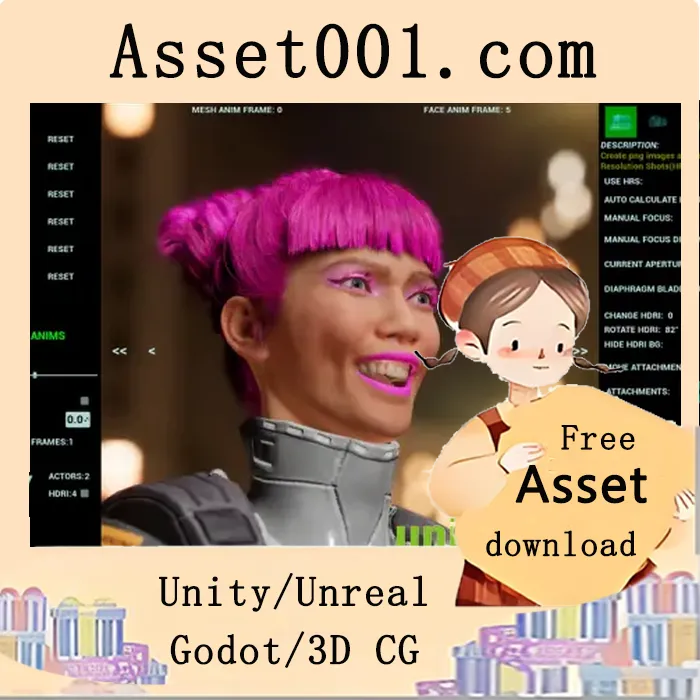
Easy way to generate bulk images with transparent, colored or custom background.
Version V2 is now available with many new features. Check the new videos to learn about the updates.
Important change in V2: do not fill in any materials in the post-process volume.
Supported skeletal or static mesh actors.
Support for attaching actors with static or skeletal mesh components. All combinations are supported — you can have a skeletal mesh actor (or static mesh actor) and attach any number of skeletal or static mesh components.
Two different techniques for transparent captures. Colored background is available via color picker at runtime. The chosen color is numerically displayed on screen, automatically rounded to two decimal points.
High-resolution shots with custom HDRI or background. Bulk export is available for each HDRI stored.
Runtime controls for directional light, skylight, camera FOV, and camera zoom.
Custom resolution or predefined resolutions (32x32, 64x64, 128x128, 256x256, 512x512, 1024x1024, 2048x2048, 4096x4096) can be set at runtime.
File name overrides with custom prefix or suffix are available at runtime. Auto file name and folder generation are also supported.
Option to turn shadows on or off for the actor and all attached components.
Option to set individual FOV, offsets, and zoom for each actor, or control all actors’ FOV, position, and zoom simultaneously (e.g., when actors have similar shapes).
Option to rotate the actor around its original pivot point or center of mass.
Option to export images individually or in bulk — individual captures are created for each actor in the scene.
Skeletal animation pose control via runtime slider. Choose to export every frame or a selected custom frame range. Additional face animation controls are now included. Frame number is displayed on screen when applicable. Various new information displays are added in V2.
Keyboard shortcuts are available for movement (with reset key), rotation (with reset key), zoom, next/previous actor, next/previous frame (if applicable), hide menus, and save current preset at runtime.
Keyboard sensitivity is controlled with the spacebar for all shortcuts, with visual feedback on screen.
Lighting can be adjusted at runtime, and LUT presets can be quickly tested.
Preferred settings can be permanently saved in a custom preset.
![[Blueprint] Socket Helper (TCP-UDP Client-Server) 5.7|[Blueprint] Socket Helper (TCP-UDP Client-Server) 5.7](https://img.asset001.com/asset-img/19696@@_blueprint__socket_helper__tcp_udp_client_server__5_7.webp)