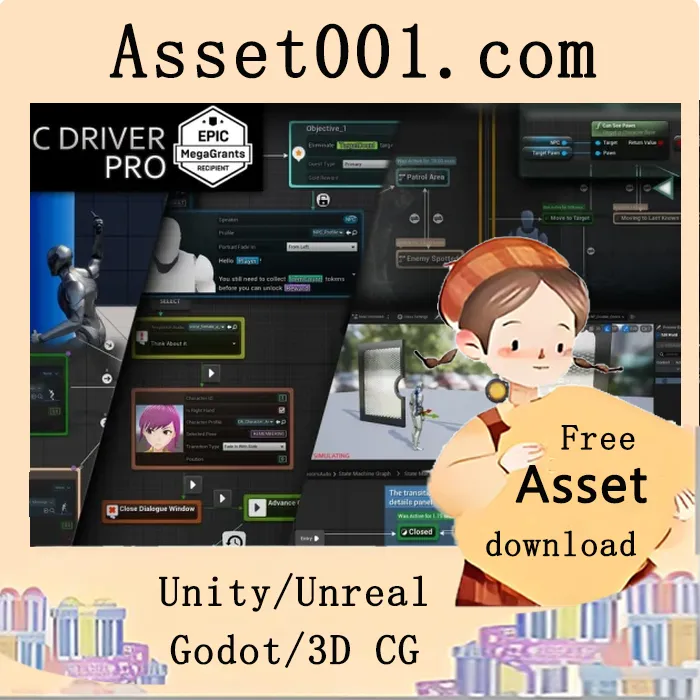
Build Gameplay Systems Tailored to Your Project
Create AI, combat, dialogue, quest, and other gameplay systems with a full blueprint editor built to support your project from prototype to production. Logic Driver Pro integrates seamlessly into your development workflow, enabling you to build node-based gameplay systems through a dedicated blueprint editor. From AI behaviors to full narrative frameworks, it supports projects of any scale and is trusted by developers at every level, from indies to AAA studios. It has also been recognized with an Epic MegaGrant for its impact on Unreal Engine development. Logic Driver Pro supports the latest official version of Unreal Engine. Advertised features apply to the most current release.
Core Features
Developers can create custom nodes using blueprints or C++, exposing variables on the node and encapsulating reusable logic. Each node can include:
- Editor Construction Scripts – Dynamically update node properties in response to designer input.
- Node Validation – Provide visual warnings or prevent compilation when conditions aren’t met.
- Rule Behavior – Help enforce patterns and automate parts of the design process.
Designers may then use these nodes within Logic Driver’s state machine blueprints:
- Place Nodes – Easily add nodes with context-aware placement, with rule behavior limiting available state types or preselecting transition options.
- Exposed Properties – Assign values by entering defaults directly or by connecting variables, functions, or expressions.
- Preview Mode – Preview the system in the state machine blueprint editor.
- 🆕 Breakpoint Debugging – Debug the system during Play In Editor (PIE) or in Preview Mode.
Advanced Capabilities
- State Stack – Combine multiple states in a sequence to execute tasks in order.
- Transition Stack – Quickly generate transition expressions between different transition types.
- 🆕 Output Variables – Organize data flow between states or back to the owning state machine blueprint.
- Parallel States – Ideal for systems where multiple conditions or behaviors need to run at once.
- Text Graph Properties – Drag-and-drop variables directly onto text, with rich text and localization support.
- Search Tool – Find and replace property values across your project.
![[Blueprint] Socket Helper (TCP-UDP Client-Server) 5.7|[Blueprint] Socket Helper (TCP-UDP Client-Server) 5.7](https://img.asset001.com/asset-img/19696@@_blueprint__socket_helper__tcp_udp_client_server__5_7.webp)